
Home SIEM environment - Part 1
Introduction
I've been wanting to try out Wazuh for a while, given its low complexity setup and reputation for being a solid, opensource, SIEM. My last trial was with a Security Onion instance, which was very painful due to limited physical resources. Not so with Wuzah! The minimal specifications for a server are very minimal, so join me as I dive into putting this tool through its paces.
To start us off, what is a SIEM?
A SIEM is an acronym for "Security Integration and Event Management" solution. Think of it as a system your computer can talk with about what it's doing and how it's configured. Of course, having a dedicated system for this might sound silly if you only have one computer, but what if you have 2, 12, or hundreds that you are responsible to secure? This is where a SIEM is helpful, providing you a single place to go to see if all the potential security problems your computers might have.
Does everyone need a SIEM?
Yes and no. If you are running an IT infrastructure, it's a good idea to have a centralized place for endpoint management, log retention, and security monitoring, however this functionality can take many forms. Wazuh is an example of a more traditional SIEM, but your milage may vary for what works for your environment.
Setup
Let's get this party started! There are several options for Wazuh depending on your needs. These range from multi-server clusters to Docker containers, but for my purposes a single virtual machine (VM) instance will suffice. It will run on my lab box that stays mostly online.
I ended up needing to install Oracle VirtualBox to provide the hypervisor infrastructure needed to host the VM from Wuzah. The latest version had a couple of dependencies in Windows 11 Pro, but they were easily found and installed (Python3 and MS C++ Visual Studio Redistribution specifically).
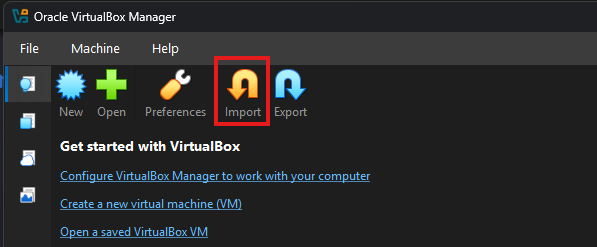
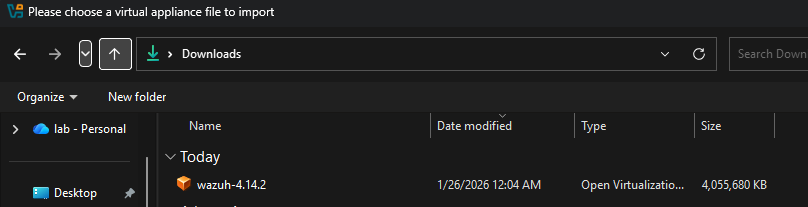
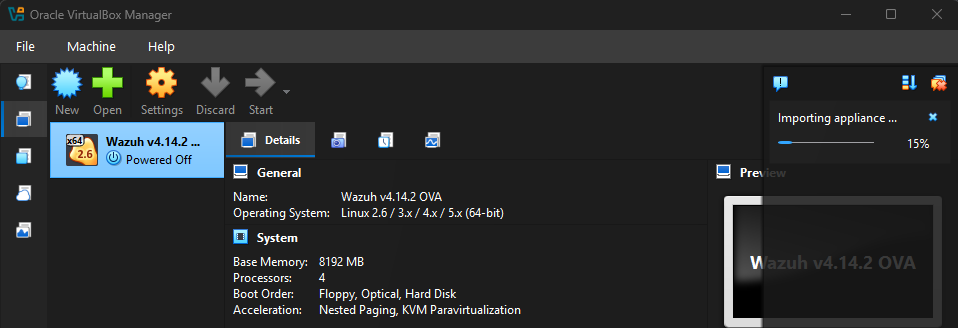
Once I had all the dependencies installed and VirtualBox launched, it was time to import the OVA file from Wuzah. What is an OVA, you might be asking? An OVA is just a fancy archive for virtual machines that contain all the necessary configurations for the services we want. Imagine somebody already did the installation and basic configurations before handing it over to us and you'll have a pretty good idea why OVAs are preferred in situations like this.
Go for launch
After the import completes, it's time to start the VM! If all goes well, you should soon be able to reach the web portal using the IP address.
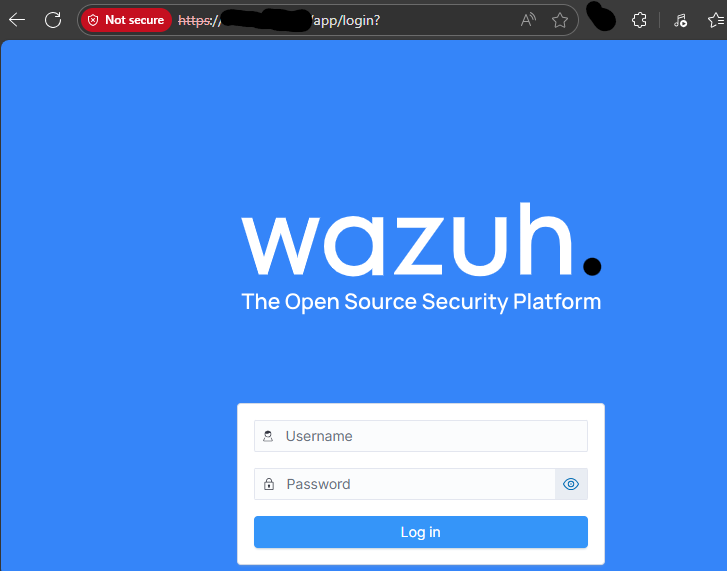
Use the documented credentials to log in. There won't be much to see because nothing is connected, so go ahead and deploy a client. I chose the host system since it was on the same network as the VM. Below is a sample of the command to auto-magically pull an agent and install it with the management pointers.

I'll be honest, I got stalled here for several minutes because the installer kept failing on my host machine. The issue might have been I wasn't running in Powershell terminal as admin OR because I had built-in Microsoft Defender running. While I didn't see any popups saying it had blocked something, I was successful after turning off Defender and rerunning the commands from an elevated Powershell terminal. Don't forget to start the service once you finish! It should now report in without issue.

Pretty quickly you'll begin seeing telemetry about your first agent...and it will probably be depressing. From what I can tell there are CIS baselines preconfigured for endpoints, so unless your workstation has run through CIS level hardening you will be greeted with many misconfiguration findings. This tells us the agent is working though, so I consider that a win for my first stab.
Summary
Wazuh is a lean SIEM with minimal requirements and very good documentation. With multiple installation options, it is quite scalable, which hits a wide range of IT infrastructures. And it even has dark-mode...which is a must for many who stalk a SOC.
Wishes, To-Do's, and References
Wish list for Wazuh
- Remote access for device remediation. This is standard fare for many EDRs today, so I'm curious if there is an integration with Wuzah that would allow for better endpoint management.
- Mobile agents. Android and iPhones are in the cold unless you are having them log somewhere else that is feeding into Wazuh. A native agent would be pretty nice, though perhaps the market isn't there for the majority of users.
To-Do
- More endpoint installs from various devices in my network.
- Figure out remote access to allow devices outside my lab network to connect (WAF, NAT, pin-holing firewall, etc)
- Investigate alerts - accuracy, remediation process, etc
References:




 Wazuh
Wazuh
 Wazuh
Wazuh
To be continued...